Glossary
Crop marks
Crop marks explained for AI image printing and print-ready file prep.
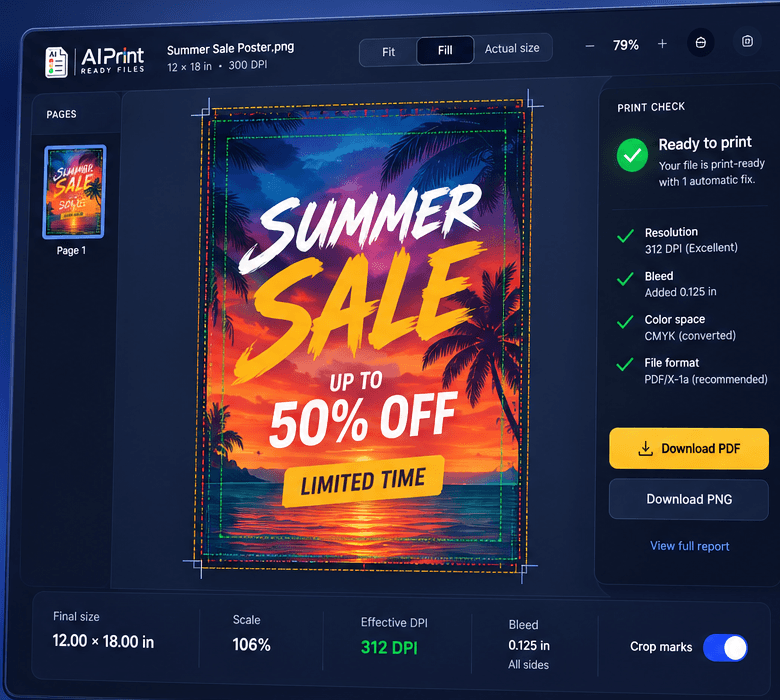
Small marks outside the artwork that show where a printer should trim.
In print prep, this term matters because it changes whether a file can move from screen preview to physical production cleanly.
AI-generated images often hide these production issues until the file is checked at a real size.
Why crop marks matters
Crop marks is not just vocabulary for print shops. It is a practical production detail that changes how artwork is checked, sized, and exported before a printer can use it.
When a generated image is treated like a screen graphic, the file can look polished but still miss the physical constraints of print. Understanding the term helps connect the preflight report to a specific action.
How to prepare the file
- 1Check the term against the actual print size, not the image preview.
- 2Use the preflight report to connect the concept to a specific file issue.
- 3Fix the file before uploading it to a print shop or print-on-demand platform.
Questions
Can I run a free file check first?
Yes. The preflight scan checks size, DPI, bleed, transparency, and file structure before you spend credits.
Does this replace a print shop proof?
No. It prepares the file and catches common rejection issues, but your printer still controls final material, ink, and finishing approval.