Print production
PDF preflight checklist before sending a file to print
A production checklist for page size, bleed, fonts, images, color, transparency, marks, and file integrity before a commercial-print PDF is approved.
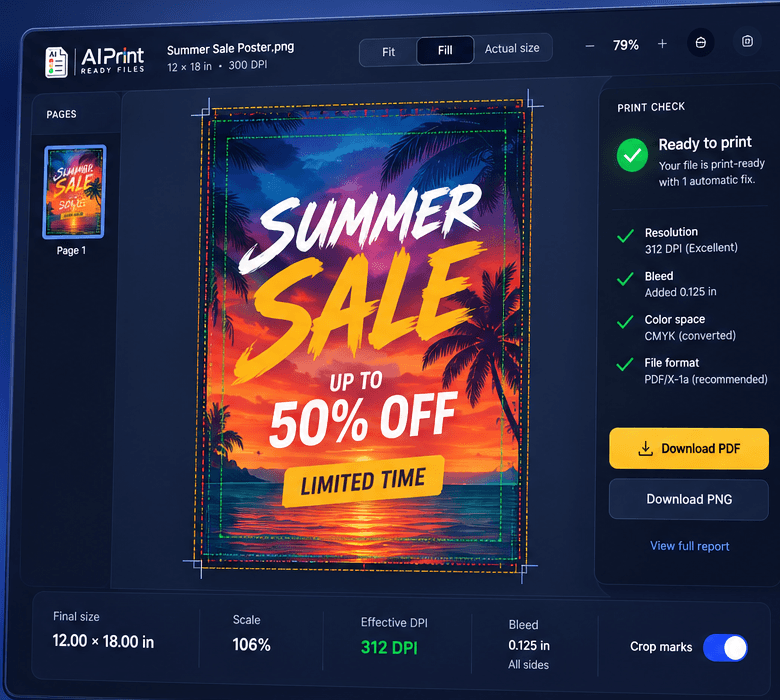
Opening a PDF is not the same as proving it is ready for production. A print PDF can display correctly on one computer while containing the wrong page box, missing bleed, substituted fonts, low-resolution images, unmanaged color, or transparency that behaves differently downstream.
Preflight converts those hidden assumptions into checks. The profile must match the product and printer; a newspaper ad, digital booklet, sticker sheet, and large-format sign do not share one universal rule set.
Confirm geometry before content details
Start with page count, orientation, finished trim size, bleed box, and media box. Verify that each page matches the order and that spreads have not replaced single pages unless the printer requested spreads. For folded and bound work, confirm pagination and finishing allowances separately.
Inspect crop and registration marks only after geometry is correct. Marks should not overlap bleed or finished content. Many automated printers want no marks because their workflow adds them; the job specification controls the answer.
Inspect fonts, images, and transparency
Check that fonts are embedded or converted according to the printer's rules. Inspect effective image resolution at placed size rather than the original file's nominal setting. Review line art, small reverse type, overprint, transparency, masks, and rich-black construction where they matter.
Adobe's Preflight tool can inspect colors, fonts, transparency, image resolution, ink coverage, compatibility, and PDF structure. Automated results still need interpretation: a warning may be acceptable for a distant banner and unacceptable for a small product label.
Validate standards without using them as a shortcut
PDF/X can make parts of the production contract explicit, including output intent and restrictions, but the correct variant depends on the workflow. A valid PDF/X file can still have the wrong dimensions, poor crop, or weak artwork. Standards compliance complements job-specific checks rather than replacing them.
Run preflight on the final delivery file after any optimization, upload preparation, or customer revision. Save the report or verification summary with the job so a future operator can reproduce the decision.
Build a handoff the next person can verify
A production-ready handoff should contain one clearly named current file, the finished dimensions, the expected bleed, and a short record of what was checked. If a warning remains, describe the decision instead of hiding it. For example: the customer accepted 170 effective PPI because the banner will be viewed from across a room. That note is more useful than a folder containing five unexplained exports.
Keep the editable source separate from the approved output. The source is where future changes belong; the approved PDF, PNG, TIFF, SVG, or machine file is the artifact that moves into production. When a revision arrives, create a new version and preserve the approval trail. This small discipline prevents an old attachment, an unapproved crop, or a mystery color conversion from becoming the file that gets printed. It also gives estimating, customer service, prepress, and production the same answer when a job returns.
Production checklist
Put this into practice
- 1Confirm page count, orientation, trim size, bleed, and page boxes.
- 2Check embedded fonts and effective image resolution.
- 3Inspect color spaces, output intent, overprint, transparency, and ink risks.
- 4Confirm the printer's rule for crop marks and PDF/X.
- 5Save the final file and preflight report as the approved revision.
Frequently asked questions
Does a print-ready check replace the printer's proof?
No. Preflight reduces technical risk, while the printer's proof remains the final approval for stock, ink, finishing, placement, and production-specific tolerances.
Should I keep the original artwork?
Yes. Keep the untouched source and create a separate prepared output so a crop, color conversion, or bleed extension can be revised without damaging the original.
Check the actual artwork
Turn the article into a production decision.
Run a free scan, choose the finished size, and review DPI, bleed, crop, color, transparency, and file integrity before the job reaches a printer.
Run a free scan