Comparison as of July 2026
Ashore and Ziflow alternative for print shops
Compare Ashore and Ziflow with AI Print Ready Files for print-shop intake, preflight, prep, proofing, approvals, and sub-$100 Print Shop pricing.
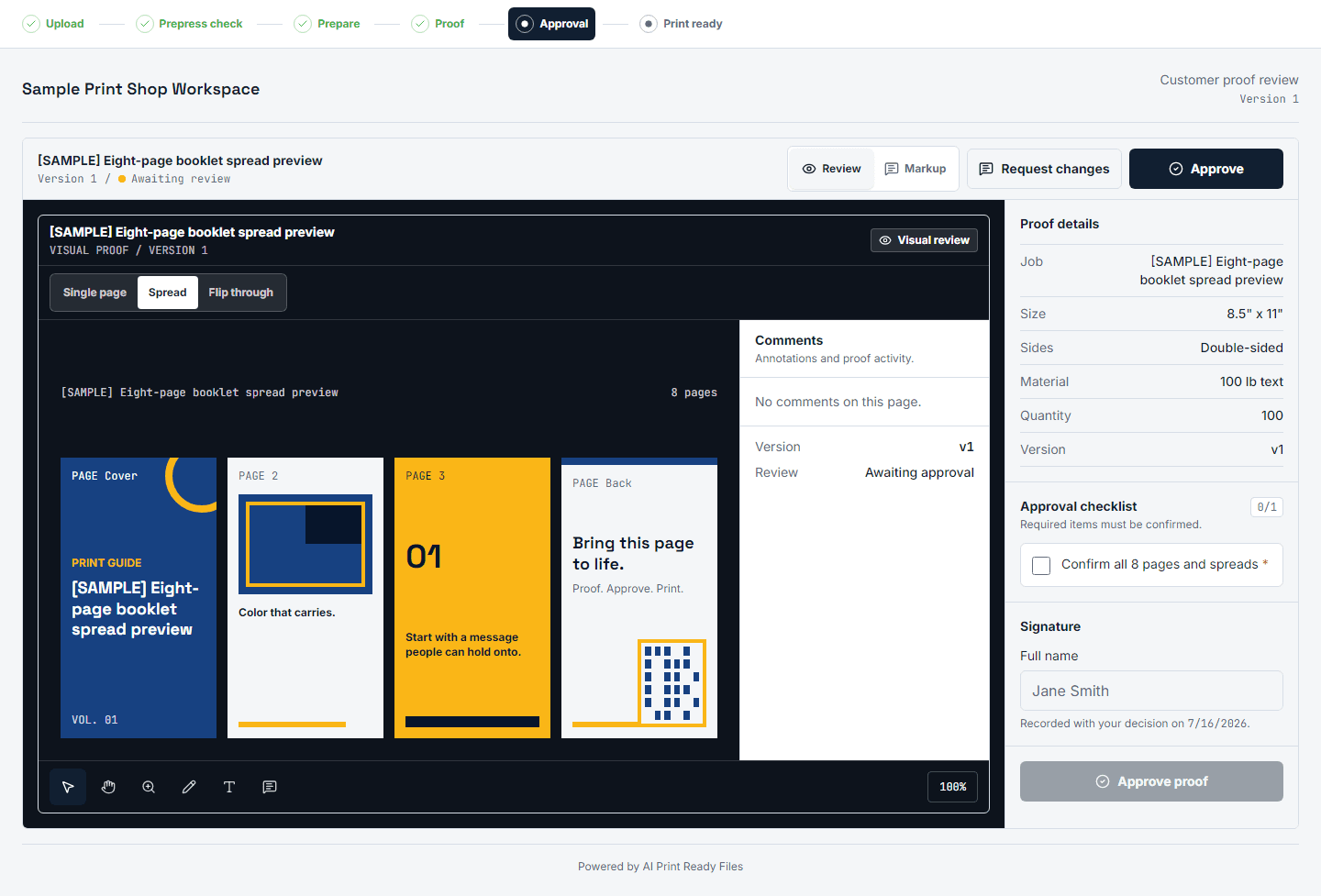
Ashore and Ziflow validate the proofing workflow: print shops and production teams need cleaner intake, proof review, approval records, version history, and fewer ambiguous email chains. Doc 08 treats that signal seriously because proofing is not a nice-to-have for shops. It is how a shop proves what was submitted, what changed, and what a customer approved.
The comparison point is not that generic proofing tools are weak. The point is that they usually start after the artwork problem has already landed on the shop. AI Print Ready Files is designed to connect file intake, auto-preflight, AI repair, print prep, proofing, and approval history into one shop-facing workflow.
The pricing signal matters too. Doc 08 found proofing suites commonly moving into the $199 to $399 per month range when premium workflow, API, preflight, or white-label value appears. The planned $99 Print Shop plan is intentionally positioned below that band while keeping auto-preflight on intake part of the value story.
What Ashore and Ziflow validate
Ashore and Ziflow prove that professional teams will pay for proofing workflow software. The useful parts are not decorative markup tools alone. They are the operational controls around the proof: who uploaded the file, which version is current, what comment belongs to which asset, who approved it, and whether the approval record is visible when a job goes sideways.
That is exactly why this page should be written for print shops rather than generic creative teams. A designer reviewing a brochure and a screen printer chasing a usable logo both need feedback loops, but the print shop also needs a technically usable production file. The shop has to answer DPI, bleed, color, transparency, trim, crop, and file-format questions before approval has any practical value.
The product lesson is clear: proofing is validated, but AI Print Ready Files should not copy a broad creative-review product. The wedge is narrower and more operational: customer file request, automatic print-risk check, repair or prep only when needed, shop-readable report, proof approval, and a record that can be found later.
Where a print-shop alternative should differ
The first difference is intake. A shop-friendly workflow should let a CSR send a link, receive the customer file, and immediately see whether the file is printable. If the first response still has to be a manual email about low resolution or missing bleed, the software has not solved the shop's highest-friction moment.
The second difference is repair. A generic proofing system can route comments, but it does not necessarily upscale a weak AI image, check vector suitability, build bleed, add crop marks, produce a print-ready export, or explain why a file should not be fixed blindly. AI Print Ready Files should keep those prep decisions upstream of proof approval so the proof represents a file that can actually move toward production.
The third difference is language. Print shops do not need more internal prepress jargon in front of customers. They need customer-safe explanations, clear warnings, and a report that production staff can trust. That is why the page should translate feature differences into outcomes: fewer rejected files, fewer repeated upload requests, fewer unclear approvals, and less time spent teaching every customer what bleed means.
Pricing and plan posture
Doc 08 shows a pricing gap that is worth preserving if the unit economics hold. Ashore's closest preflight-on-intake signal appears around a premium tier, while Ziflow and PageProof-style proofing value often moves higher for professional workflows. That creates room for a $99 Print Shop plan that feels like a practical shop utility rather than an enterprise creative-ops purchase.
The page should not overclaim lifetime savings or pretend a planned product already matches every mature workflow suite. It should make a narrower promise: if a shop mostly needs file intake, automatic print checks, prep, proof approval, and lightweight brand control, AI Print Ready Files is being built for that print-specific loop at a lower entry price.
Because competitor pricing changes often, public copy should keep the date visible and avoid ads until the claims are re-checked. The current role of this page is SEO and positioning readiness: prove the comparison narrative, link it to the proofing page, and keep the launch team honest about what must be verified before promotion.
Best fit by workflow
Ashore or Ziflow can be the better fit when a team needs broad proof routing across many asset types, multi-stage creative approvals, advanced enterprise controls, or a mature proofing suite that is already embedded in a marketing department. That acknowledgement makes the comparison stronger because it avoids pretending every buyer has the same job.
AI Print Ready Files is the better-positioned story when the buyer is a print shop, sign shop, POD operator, or small production team whose approval workflow starts with a bad or incomplete customer file. For those teams, the proof is only useful after the file has been checked and prepared for print.
That workflow focus should also shape internal product decisions. Do not push auto-preflight on intake to a later premium tier if the Print Shop plan is supposed to be the wedge. Keep the first version compact, but make the intake scan and proof approval feel connected from day one of the proofing build.
How to prepare the file
- 1Send a customer upload link and run preflight as soon as the file arrives.
- 2Use the report to decide whether the artwork needs resize, bleed, vector suitability, or other prep before proofing.
- 3Prepare the file and attach a shop-readable report so the production team can see what changed.
- 4Create the proof from the prepared version rather than from an unchecked upload.
- 5Capture customer approval with version history, typed sign-off, and the file state that was approved.
- 6Keep comparison claims dated and re-check competitor pricing before using the page in paid campaigns.
Comparison details
Current as of July 2026. Source: doc 08 competitive audit; re-check Ashore, Ziflow, and other proofing-suite pricing and feature pages before promotion.
| Feature | AI Print Ready Files | Competitor |
|---|---|---|
| Core workflow | Print-specific file intake, preflight, AI repair, prep, proofing path, and approval history. | Broad proofing and approval workflow for creative assets and production teams. |
| Auto-preflight on intake | Planned as part of the Print Shop value story rather than pushed to a later premium tier. | Doc 08 found the closest Ashore analogue gated around a premium workflow tier. |
| Prep engine | AI repair, DPI checks, bleed, crop marks, vector suitability, and print-ready export before proofing. | Primarily proofing workflow; doc 08 did not identify a comparable AI print-prep engine underneath. |
| Starting B2B price | $99/mo planned Print Shop plan if provider economics and owner sign-off confirm. | Proofing workflows commonly move into the $199-$399/mo range in doc 08. |
| Best fit | Print shops that need customers to submit usable art, approve a prepared proof, and reduce production rework. | Teams that need mature, broad creative proof routing across many asset types. |
Questions
Is AI Print Ready Files a full Ziflow replacement today?
No. The proofing workflow is planned for the Print Shop path. This page explains the intended print-shop alternative angle from the July 2026 competitive audit, not a claim that every mature proofing feature is live now.
Why compare proofing tools to a print-prep product?
Because print shops need both sides of the workflow. A proof approval is only useful if the file being approved can actually be printed, and a prepared file still needs customer sign-off before production risk moves down.
Why keep auto-preflight on intake in the $99 plan?
Doc 08 shows similar workflow value gated at higher proofing tiers. Keeping intake preflight in the Print Shop plan is the wedge: shops get fewer bad files before they spend staff time on proofing.
Should this page mention exact competitor pricing?
Only with a visible date and source caveat. Pricing changes, so the page should be re-checked before public promotion, paid search, or sales collateral.